
Nothmere Review
This interactive homage to Sierra On-Line’s Quest for Glory series successfully evokes nostalgic feelings while forging its own identity.
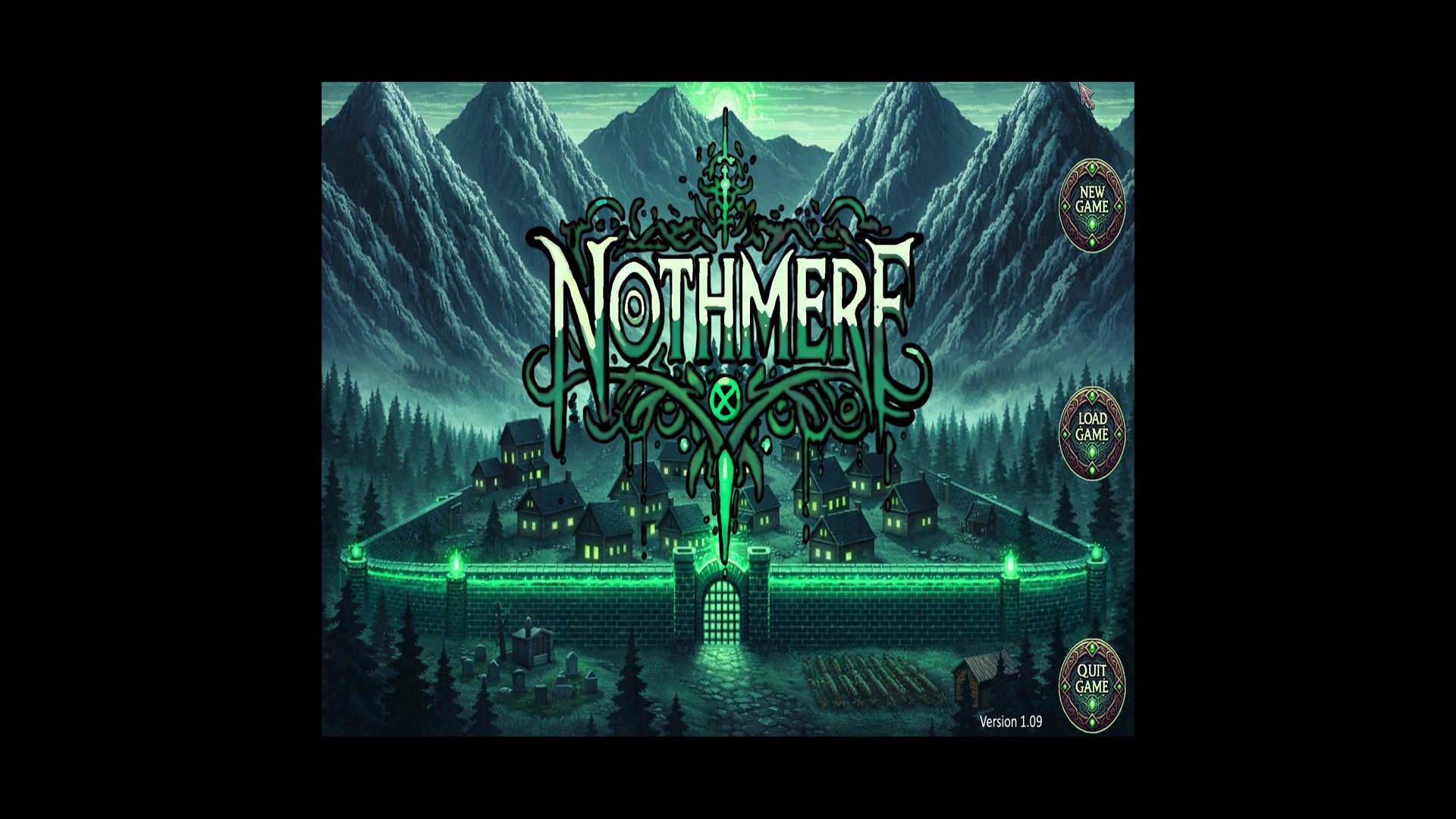
Nothmere Title Screen with Menu Bill Garret / Wraithwood Studios 2026 Version 1.09
Bill Garret’s point-and-click Quest for Glory shrine, Nothmere, is fun to play. Nothmere praises Quest for Glory while successfully remaining distinct from it. There are plenty of nods to Quest for Glory so that its fans will grin.
Like its glorious inspiration, Nothmere chronicles the exploits of a character who adventurers may craft to suit their individual play style. Using their mouse and keyboard, adventurers name him and give him a profession. They may choose: a fighter, magic user, thief or a hybrid of the three classes. The choice of profession changes how the puzzles can be solved. Once the profession is chosen, adventurers use their mouse to endow their characters with skills. Each skill has a plus and minus sign. Left-clicking on the plus sign increases the skill. Left-clicking on the minus sign decreases the skill. Once all adventurer skill points are spent, the game drops the character into the world of Nothmere. This is where the game begins to separate itself from its inspiration. Unlike Quest for Glory, Nothmere gives a reason for naming the hero. He awakens on the shore with no memory of his past. He needs to find out how and why he got there.
The character that adventurers guide in Quest For Glory is arrayed in bright color evocative of a heroic destiny. Nothmere’s character is hooded and clothed in dark colors. Perhaps this is a nod to his uncertainties of his past and future.
Adventurers help the hero find his destiny by using the point-and-click interface. The manual explains it in detail. Adventurers may access it any time while playing by pressing “Escape” and left-clicking the “Manual“ button. The interface is responsible for all of his actions: movement, speaking with characters, gathering, and using items, combat and saving and loading the game. Icons are accessible by moving the mouse to the top of the screen, or, right-clicking to cycle through the icons. Left-clicking on the foot icon, and moving the mouse to a spot on screen and left-clicking again causes the hero to move to that spot. Left-clicking on the hand and then left-clicking on an object on the screen makes the hero pick it up and add it to the inventory. The inventory icon is a chest. Left-clicking on it gives access to all the items in the hero’s possession. Left-clicking on an item and then left-clicking outside of the inventory window prepares it for use in the game world. Left-clicking on a spot on screen causes it to be put to use. The game informs adventurers if they are successful. The inventory window has an equip button used to arm the character and gird him for battle. Adventurers left-click on a weapon, then, left-click on the equip button to prepare the weapon for battle.
Like our world, Nothmere, contains environments filled with sights and sounds. Artificial Intelligence plays a small part in their construction. The Nothmere Steam page describes its use like this. “Background images were initially generated, and the hand tuned, edited, massaged and worked to fit the aesthetic and feel of the game, blending it into a cohesive game world.” Regardless of one’s feelings about the use of AI, the game’s backgrounds are beautiful. My favorite is the pond. I enjoyed its calming blue color. In the daytime and at night it’s always filled with interesting characters.
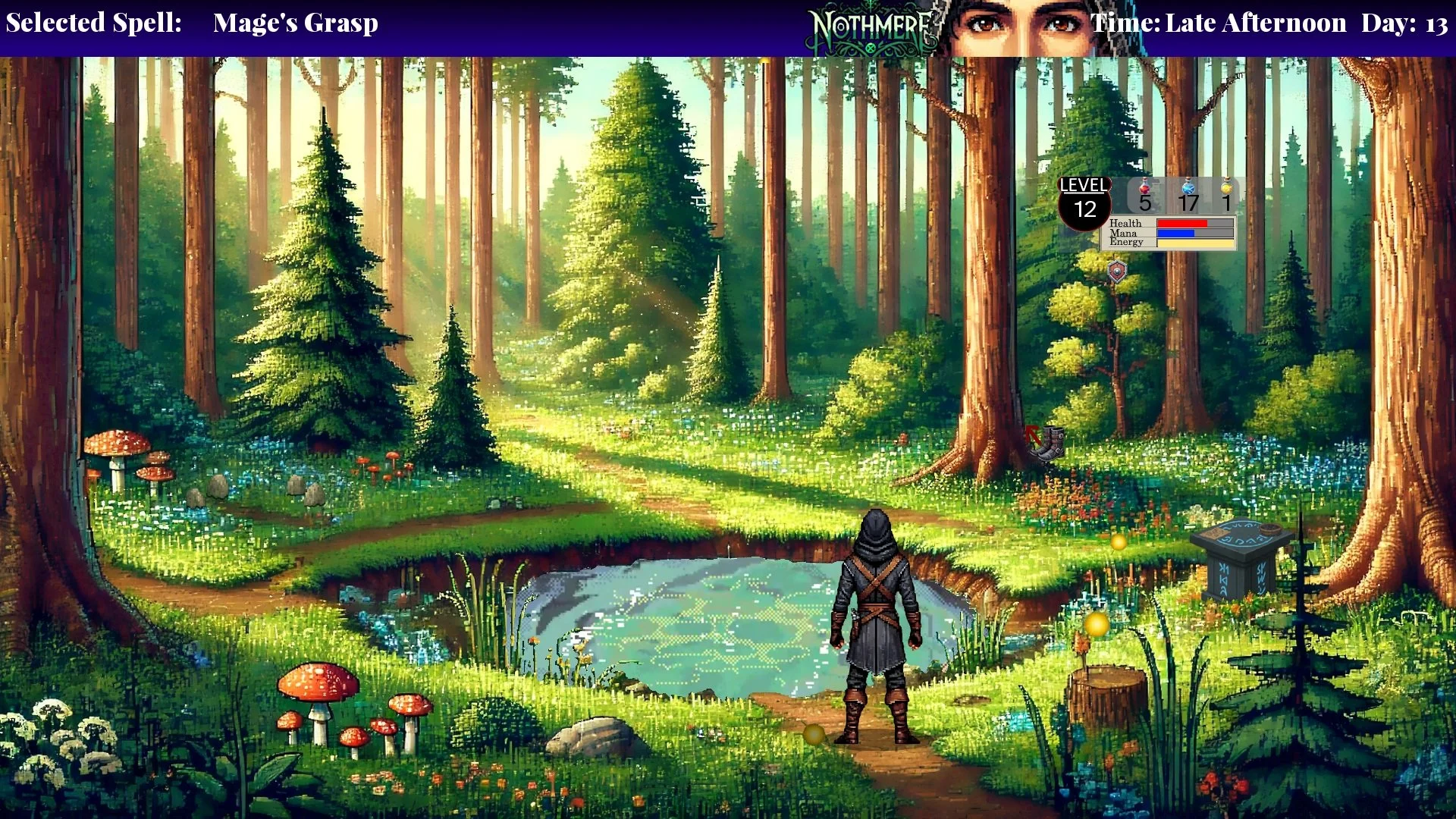
Nothmere Pond in Daylight Bill Garet / Wraithwood Studios 2026 Version 1.09
The town also has interesting characters. Chiefly, Gregor, the blacksmith, and Katrina the innkeeper. Left-clicking the mouth icon on characters allows adventurers to hold conversations with them by left-clicking on a list of topics. That is how I learned about Gregor’s and Katrina’s problem. I did them a favor by solving their problem, and they gave me something helpful in return. The favor involved deciphering runes on a mysterious chest. I played a magic-user. I solved most of the puzzles using magic. The spells are accessible by left-clicking on the circular magic icon and then left-clicking on a spell to select it, then left-clicking on a spot om the screen to cast it. The spell I used often was “Detect Magic.” It uncovers invisible objects or other nefarious uses of magic. “Detect Magic” will be familiar to Quest for Glory fans, but Nothmere does a good job of giving its spells original names. A spell called “Mage’s Grasp,” for example, is useful for picking up far away objects.
I didn’t need magic to solve all the puzzles. Near the end of the game, I had to speak to a tree by left-clicking on the letters to spell its name. Talking to a tree is a unique experience that took root in my mind.
The music is good I especially like the epic title track. It sweeps all who hear it into adventure. I also enjoyed the beautiful melody in the forest. Be wary of being lulled by the music. Unwary travelers could find themselves ambushed by enemies. If that happens it’s time to fight!
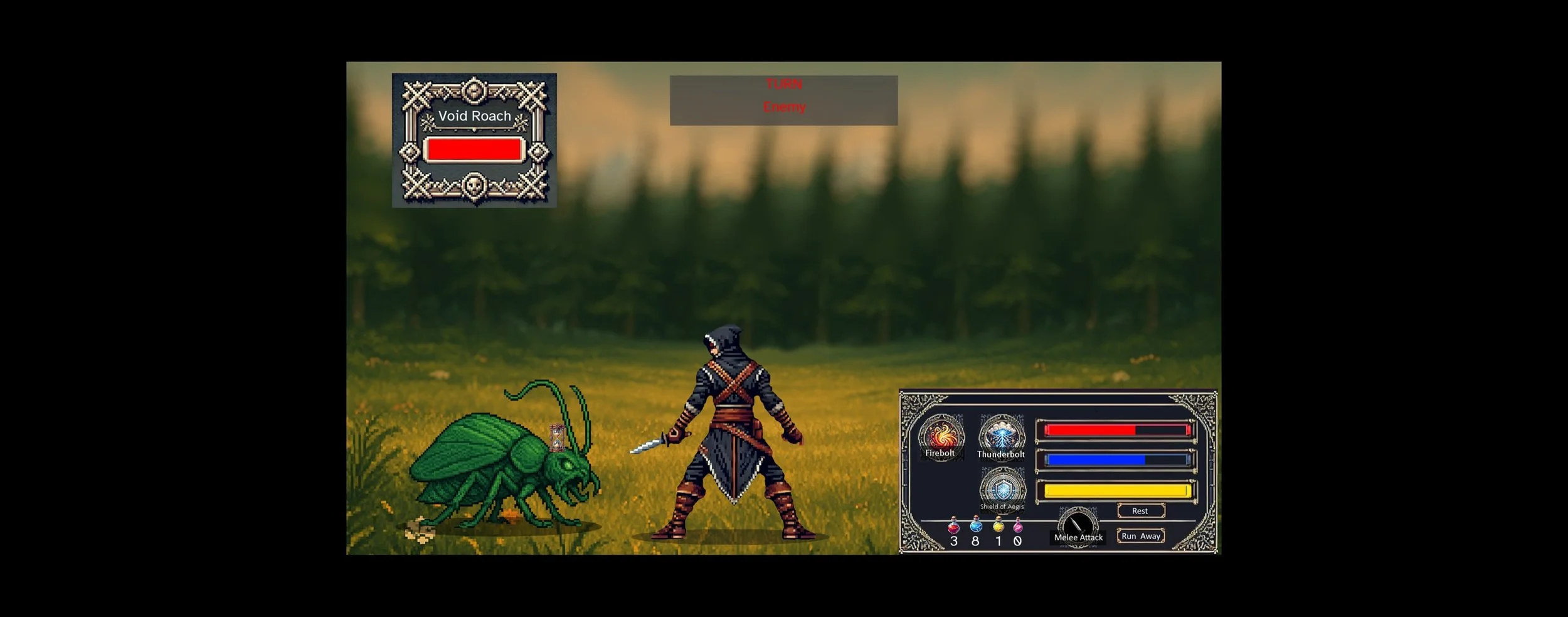
Nothmere Combat Screen Bill Garet / Wraithwood Studios 2026 Version 1.09
I found Nothmere’s turn-based combat easier than Quest for Glory, which relies a lot on reflexes. Nothmere has a slower system that adventurers with slower reflexes might find easier to use. First one opponent uses an action than the other. Magic users rely on spells to attack. They left-click on a spell to unleash its power upon there enemy. Adventurers may also attack with melee weapons by left-clicking on the melee button. It’s possible to die during combat, or at other times during the game. Fortunately, it’s easy to save and load the game.
Left-clicking the control panel icon causes the menu to appear. Left-clicking on “Save” lets adventurers type a label for their game, then, left-clicking on “save” saves it. The game automatically saves in important places. Left-clicking the Load button from the menu, or the Title-Screen, brings up a list of labeled saved games. Autosaves have the word auto in their label. Left-clicking on a label and then left-clicking on the Load button, loads the game. Adventurers can activate the quest log, by left-clicking on the book icon, to get back on track.
Nothmere is a worthy successor to Quest For Glory. It uses great graphics and sound to tell an original, adventurous story paired well with a simple and fair combat system. Adventurers will be swept away by its original story and humor. Nothmere, by Bill Garret, and published through Wraithwood Studios is available on Steam.
Score 9/10